TINY DESK AI
How to Make a Tiny Desk AI Video
Make the viral Outstanding Tiny Desk video with your photos. Watch a free video preview, then unlock an 8-second or 19-second video with original music and no watermark.
How can I make my own Tiny Desk video?
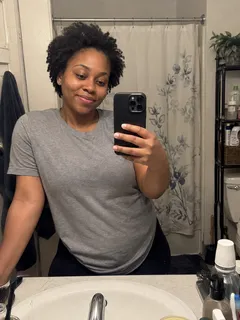
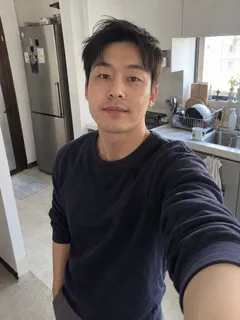
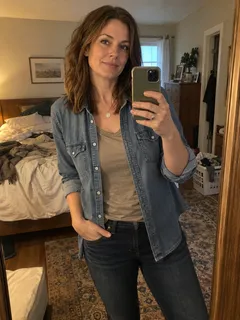
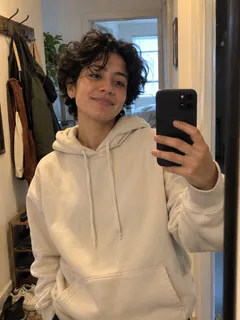
- Add a selfie of yourself or a friend to any role. Add more photos to perform together.
- Choose Generate free preview to see your Outstanding performance.
- Choose the 8-second or 19-second video, then download your video with its original music.
Is one selfie enough?
Yes. Use a clear photo of yourself, a friend, a family member or a pet, such as a cat or dog. Add a photo to any role you want to change; the included cast fills the other roles.
Can I upload separate selfies for each person?
Yes. Add a separate selfie to each role you want to replace. You can change one person, several people or all five. The included cast fills the roles you leave unchanged. The saxophone solo appears in the 19-second video.
Does my video include the original Outstanding song?
Yes. Your performance includes the original Outstanding song with the familiar singing and live-band scene. The downloaded video already contains the picture and music together.
Which photo should I choose?
Choose a sharp, well-lit photo of one person, with the face easy to see. Show the head, shoulders and upper body rather than a head-only crop. Keep the clothes clearly visible if you want that outfit in the video.
How do I share it on Snapchat or TikTok?
When your video is ready, click Share on the result page. Share the video link on Snapchat, or download the watermark-free MP4 to post on TikTok, Instagram or YouTube Shorts. Original music is included.
What should I do if a preview cannot be made?
Choose Change photo and use a clearer waist-up or full-body photo with your face easy to see. Then generate your preview again.
Can I try Tiny Desk AI for free?
Yes. Start with a free preview. An 8-second video costs $6.99. A 19-second video costs $9.99, or get three for $19.99 with 33% off and five for $29.99 with 40% off. Every purchased video includes the original Outstanding music and a watermark-free download.
How long does it take, and how will I get it?
Your preview appears here automatically. Add your email while waiting for a completion notification. When you are happy with the video preview, unlock the 8-second or 19-second performance, then download or share it with the original music.
Where can I make the Outstanding Tiny Desk viral video?
Make it on TinyDesk in your phone or desktop browser. Add one to five photos to the three group singers, lead singer or saxophone player in the scene inspired by Charlie Wilson’s Outstanding performance. Watch a free video preview, then unlock an 8-second video for $6.99 or a 19-second video for $9.99. Original music and watermark-free MP4 downloads are included. Payments are one-time.
Which app makes the football coaches singing Outstanding video?
TinyDesk lets you make your own version of the football coaches Tiny Desk meme with photos of yourself and friends. Assign each photo to a role, preview the result, then unlock the full performance with its original music.
Can I make it on my phone without CapCut or writing prompts?
Yes. Open TinyDesk in your phone browser, add your photos and generate a free video preview. When you are happy with it, unlock the 8-second or 19-second video. TinyDesk handles the scene, camera cuts and original soundtrack; download the finished vertical MP4 or share its link.
Do you offer a 100% satisfaction guarantee?
Not happy with your video? A professional human editor will help fix it at no extra cost. Still not satisfied? Contact us for a full refund.
Outstanding Tiny Desk AI Trend - Your Selfie, Your Performance